
카페24
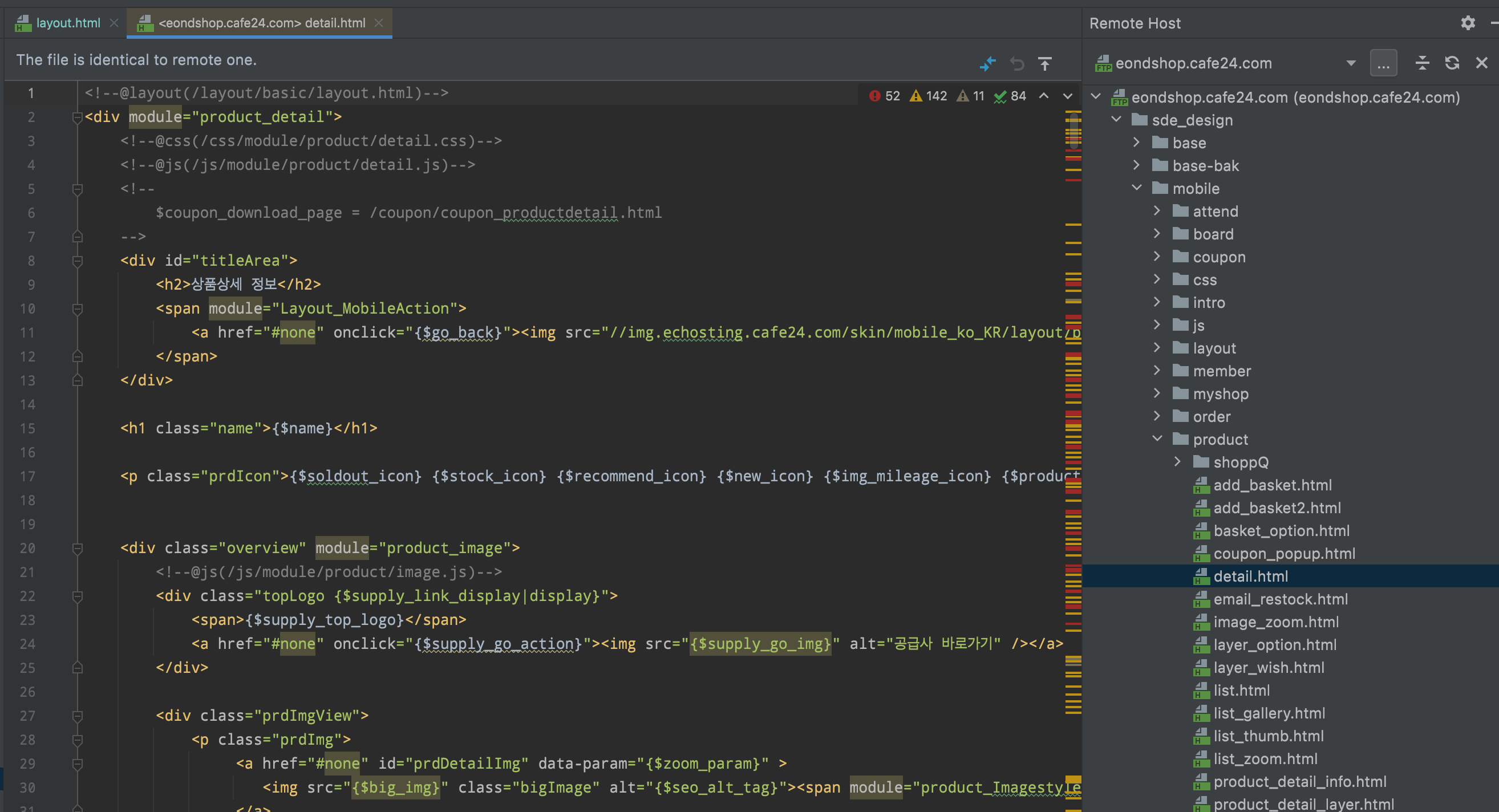
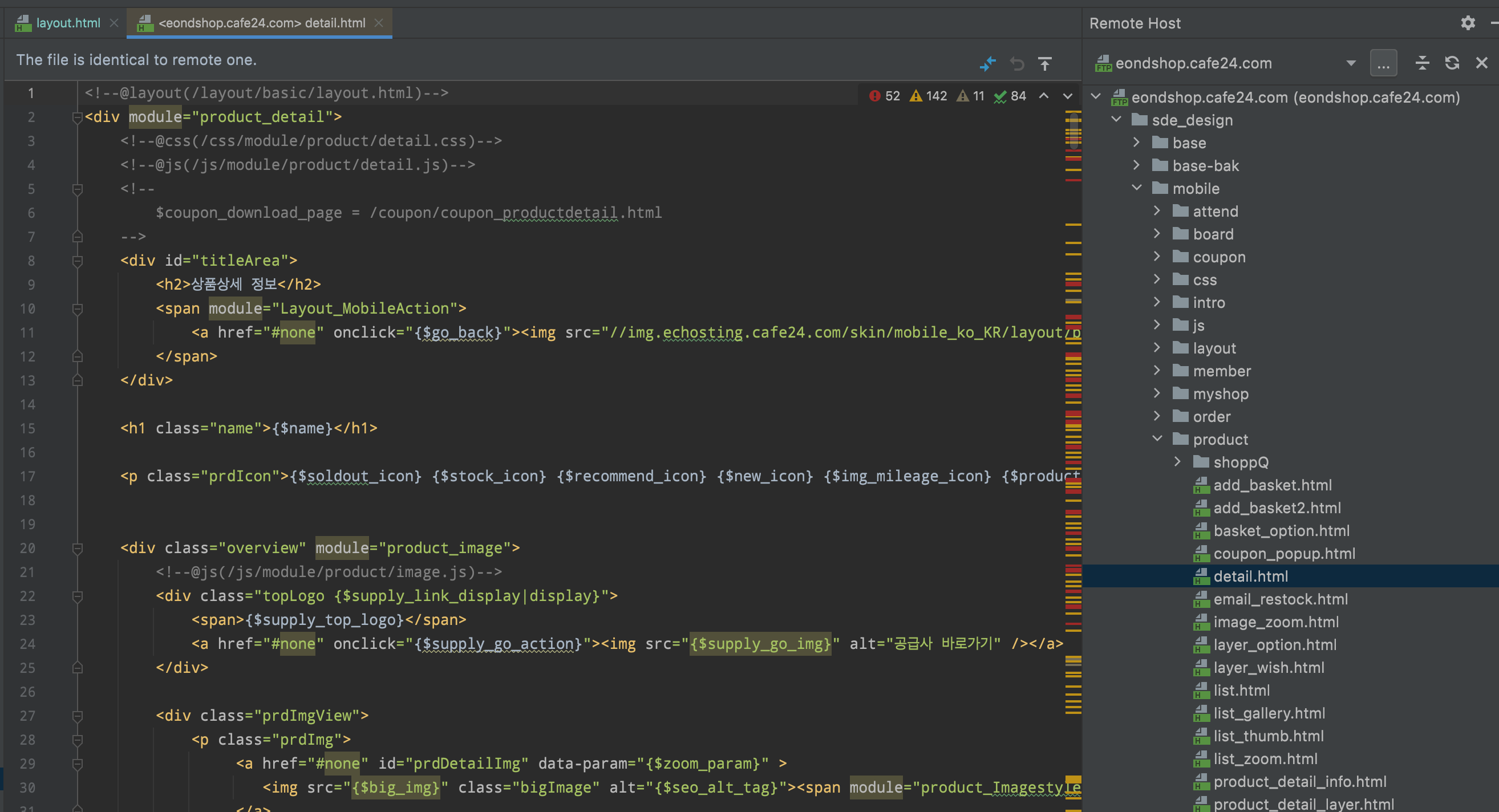
FTP 접속 후 > ftp 접속하시면 sde_design > mobile > product > detail.html
이 안에서 작업하시면 되지 않나요.
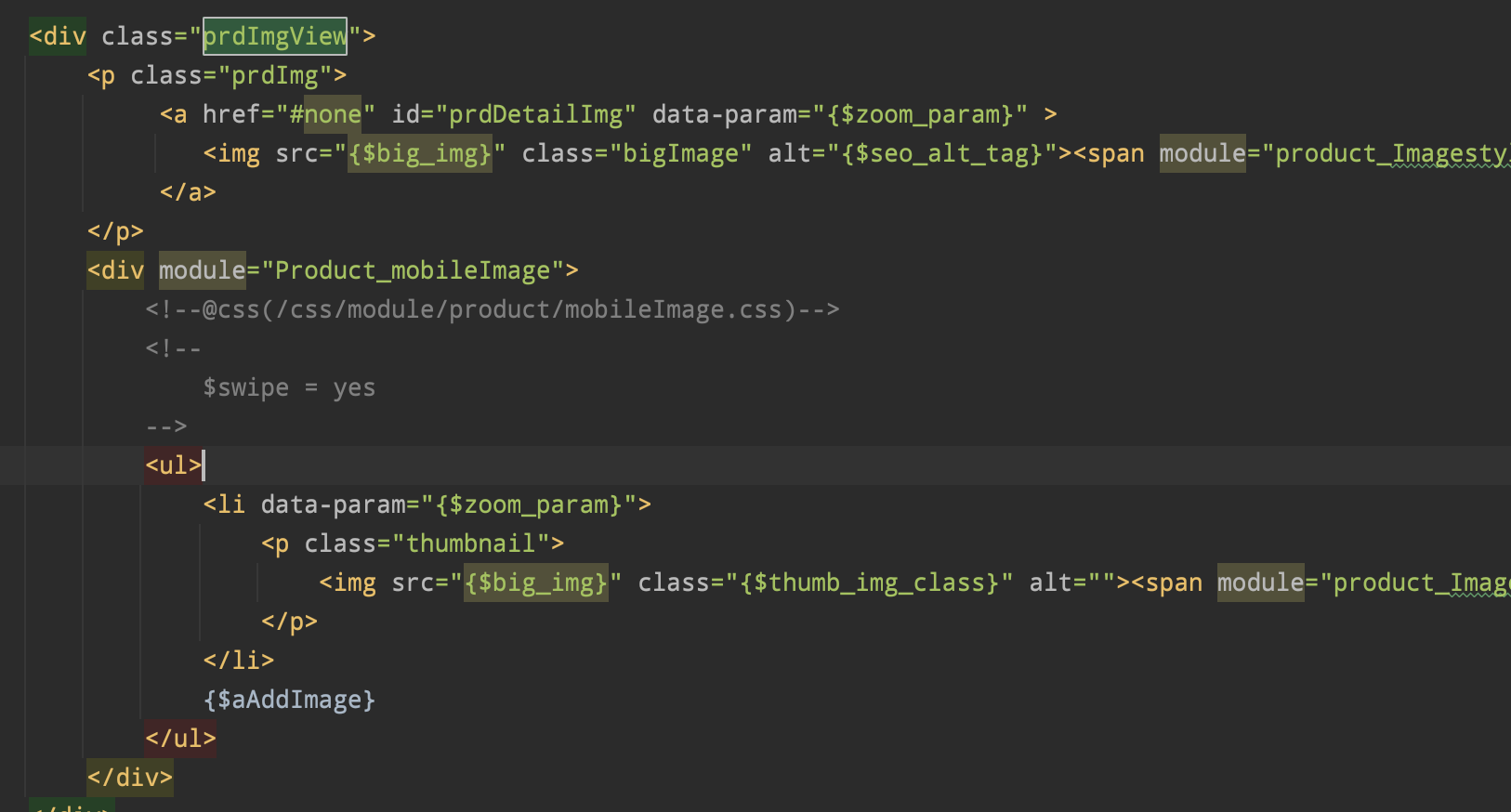

상품상세 이미지더보기 모듈
- {$add_img}
- {$add_img}
특정모듈에 종속되지는 않는 듯

html, body { position: relative; height: 100%; } body { background: #eee; font-family: Helvetica Neue, Helvetica, Arial, sans-serif; font-size: 14px; color: #000; margin: 0; padding: 0; } .swiper { width: 100%; height: 100%; } .swiper-slide { text-align: center; font-size: 18px; background: #fff; /* Center slide text vertically */ display: -webkit-box; display: -ms-flexbox; display: -webkit-flex; display: flex; -webkit-box-pack: center; -ms-flex-pack: center; -webkit-justify-content: center; justify-content: center; -webkit-box-align: center; -ms-flex-align: center; -webkit-align-items: center; align-items: center; } .swiper-slide img { display: block; width: 100%; height: 100%; object-fit: cover; } body { background: #000; color: #000; } .swiper { width: 100%; height: 300px; margin-left: auto; margin-right: auto; } .swiper-slide { background-size: cover; background-position: center; } .mySwiper2 { height: 80%; width: 100%; } .mySwiper { height: 20%; box-sizing: border-box; padding: 10px 0; } .mySwiper .swiper-slide { width: 25%; height: 100%; opacity: 0.4; } .mySwiper .swiper-slide-thumb-active { opacity: 1; } .swiper-slide img { display: block; width: 100%; height: 100%; object-fit: cover; }var swiper = new Swiper(".mySwiper", { spaceBetween: 10, slidesPerView: 4, freeMode: true, watchSlidesProgress: true, }); var swiper2 = new Swiper(".mySwiper2", { spaceBetween: 10, navigation: { nextEl: ".swiper-button-next", prevEl: ".swiper-button-prev", }, thumbs: { swiper: swiper, }, });
0 좋아요
2 답글
743 조회
답글을 달려면 로그인하세요.
답글 2개
게시순서대로 보기
눈
눈물
3년 전
<p>이미지 확대보기를 추가하려면 어디를 수정해야 할까요??</p>