이온디
6년 전
고급메일발송모듈.
기존에 지메일을 사용하고 있었는데,
구글 아이디/비번이 계속 맞지 않다고 해서,
mailgun 등을 알아봤는데
최근 유료로 변경됐다고 하네요.
https://xetown.com/topics/1333262
https://xetown.com/topics/1333262" style="height: 255px;">https://xetown.com/topics/1333262
요즘 무료로 메일 발송 지원은 sendgrill과 우리메일 뿐이라고 해서..
sendgrill로 일단 회…
고급메일발송모듈.
기존에 지메일을 사용하고 있었는데,
구글 아이디/비번이 계속 맞지 않다고 해서,
mailgun 등을 알아봤는데
최근 유료로 변경됐다고 하네요.
https://xetown.com/topics/1333262
https://xetown.com/topics/1333262" style="height: 255px;">https://xetown.com/topics/1333262
요즘 무료로 메일 발송 지원은 sendgrill과 우리메일 뿐이라고 해서..
sendgrill로 일단 회원가입해봅니다.
1. 회원가입후 회원추가정보 입력 2번 실패
2. 인증메일 확인 3번째 성공.
3. 고급메일발송모듈에서 sendgrill 정보 입력 후 발송테스트 실패
SendGrid: Exception 403 - {"errors":["The from address does not match a verified Sender Identity. Mail cannot be sent until this error is resolved. Visit https://sendgrid.com/docs/for-developers/sending-email/sender-identity/ to see the Sender Identity requirements"],"message":"error"}
문제해결방법
3.1.
https://sendgrid.com/docs/for-developers/sending-email/sender-identity
3.2. 도메인 인증을 설정하는 방법
https://sendgrid.com/docs/ui/account-and-settings/how-to-set-up-domain-authentication/
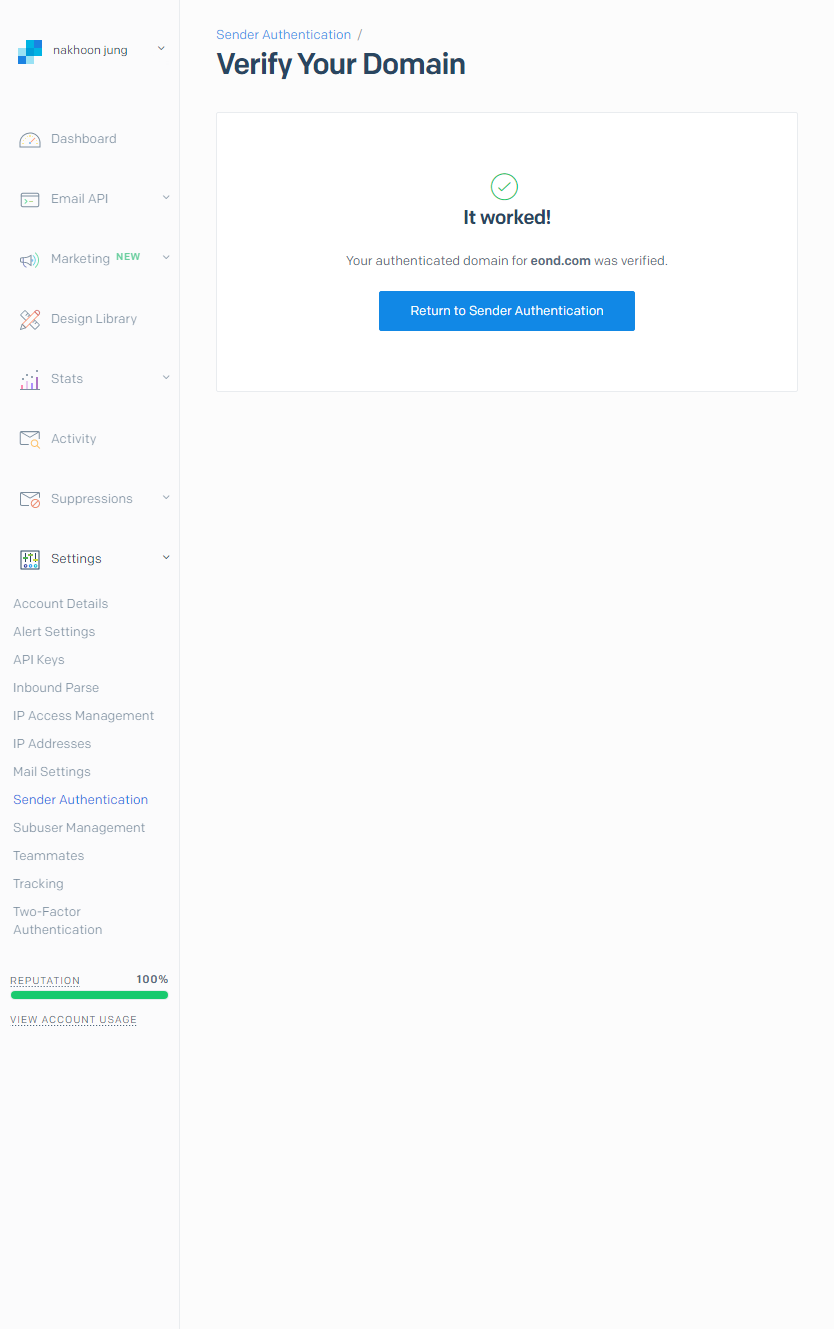
3.3. dnszi CNAME 레코드 등록
이 과정이 사실 좀 시간이 걸렸다. CNAME을 등록 후 한참을 지나야 verify가 가능한데,
한번 창을 닫으면 기존에 발급받은(?) cname 값이 사라지고 새로운 cname을 알려준다.
이 인증은 2020년 4월 26일 이후부터 변경된 듯 하다.
성공-_-!!
#고급메일발송모듈 #sendgrid #cname #도메인인증
참조
https://xetown.com/questions/356187
https://xetown.com/questions/356187" style="height: 251px;">https://xetown.com/questions/356187
https://xetown.com/topics/1333262
https://xetown.com/topics/1333262" style="height: 255px;">https://xetown.com/topics/1333262
https://xetown.com/questions/813843
https://xetown.com/questions/813843" style="height: 275px;">https://xetown.com/questions/813843