
top 에서 실행 중인 프로세스에서 어떤 파일이 사용되는지 파악하는 방법
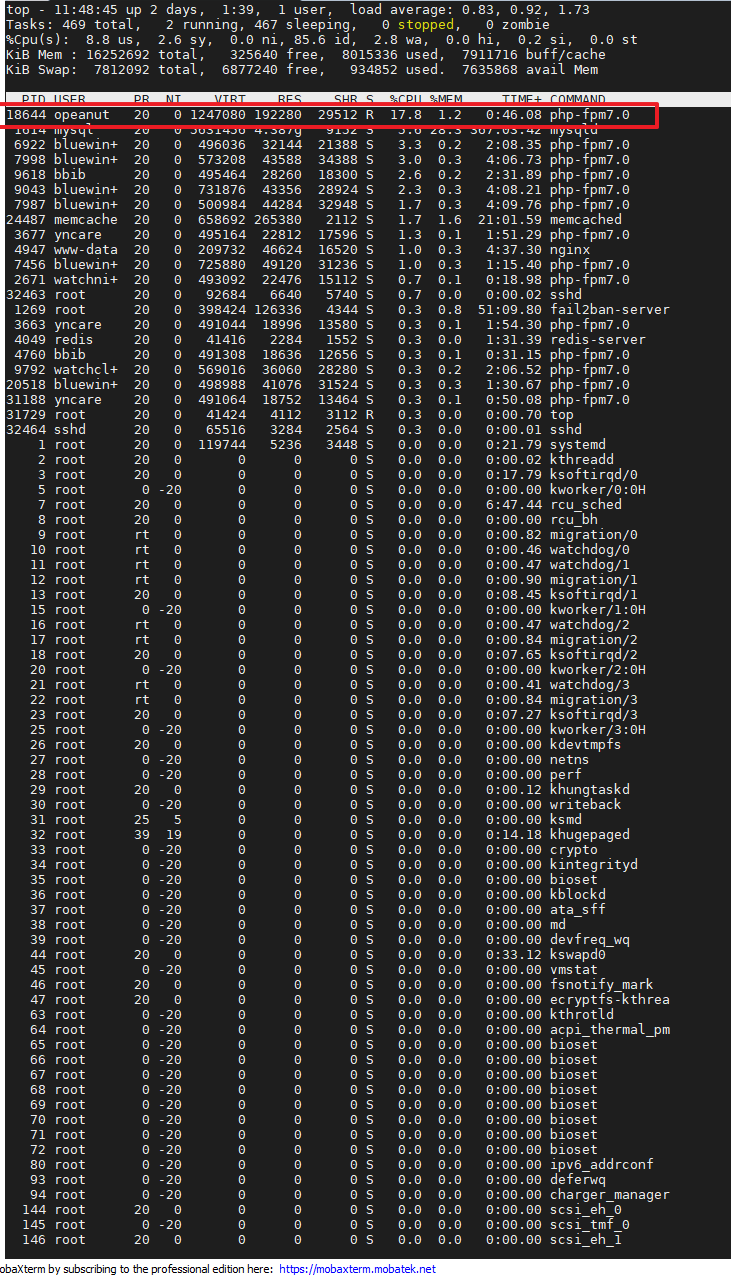
lsof -p 18644
혹은 /proc/18644/fd 에서 FD 확인하세용
lsof -u opeanut
유저명으로 프로세스 확인하는 방법
#lsof
만약 lsof 했는데 아무런 반응이 없다면, lsof를 설치해줘야 합니다.
https://zetawiki.com/wiki/%EB%A6%AC%EB%88%85%EC%8A%A4_lsof_%EC%84%A4%EC%B9%98
https://howtoinstall.co/en/ubuntu/xenial/lsof
How to install lsof on Ubuntu 16.04 (Xenial Xerus)
sudo apt-get update
sudo apt-get install lsof
댓글 0
댓글을 작성하려면 로그인이 필요합니다.
아직 댓글이 없어요
이 글에 대한 생각을 가장 먼저 남겨보세요.